

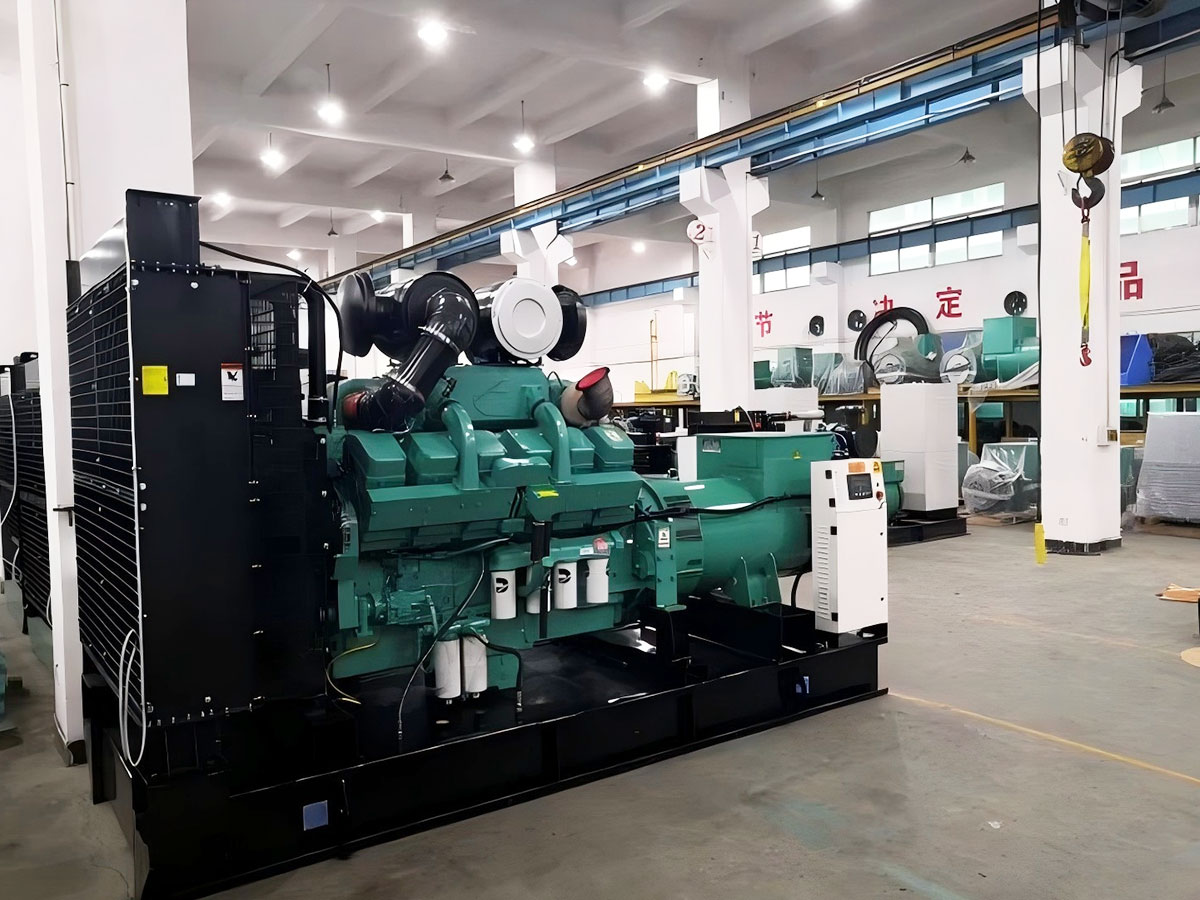
biogas diesel generator Engine Low Idle Speed Instability Adjustment Operation Tutorial
Introduction
Biogas diesel generator engines are widely deployed in agricultural operations, rural communities, and remote off-grid settings, leveraging methane-rich biogas (derived from organic waste like manure and crop residues) to reduce reliance on fossil fuels and cut operational costs. A critical performance metric for these generators is stable low idle speed—typically defined as 600 to 800 revolutions per minute (RPM) under no-load conditions. Unstable low idle manifests as RPM fluctuations, rough engine vibrations, or stalling, leading to increased fuel consumption, elevated emissions, accelerated engine wear, and potential system downtime. This tutorial provides a structured, safety-focused guide to diagnosing and correcting low idle instability, applicable to most dual-fuel biogas diesel generator units without requiring specialized brand-specific tools.
Pre-Adjustment Safety Protocols
Biogas is highly flammable and explosive at concentrations between 5% and 15% in air, so strict safety measures are non-negotiable before any adjustment:
1. Isolate Fuel Sources: Turn off the biogas supply valve to prevent unintended gas leakage, and close the diesel fuel inlet valve to avoid sudden engine surges during adjustments.
2. Lock Out Power: Disconnect the generator from all external electrical loads (e.g., lighting, pumps) and activate the main power lockout to prevent accidental startup by others.
3. Ventilate the Area: Ensure the engine space is well-ventilated to dissipate any accumulated biogas; avoid adjusting in enclosed areas like barn basements without exhaust fans.
4. PPE & Emergency Gear: Wear heat-resistant gloves, safety goggles, and steel-toe boots. Keep a Class B fire extinguisher (for flammable gas fires) within arm’s reach, and avoid open flames or smoking within 10 meters of the unit.
5. Level Ground: Position the generator on a flat, level surface to ensure accurate RPM readings, as uneven ground can distort engine vibration and tachometer measurements.
Initial Diagnosis: Confirm Root Cause of Instability
Before adjusting idle speed, rule out underlying issues that mimic or cause low idle instability. Perform these checks:
1. Biogas Quality & Pressure: Check the biogas pressure gauge—most dual-fuel systems require a stable pressure of 5 to 15 kilopascals (kPa) at idle. Low pressure (below 3 kPa) or fluctuating pressure often stems from blocked biogas filters, clogged lines, or gas holder volume depletion. Additionally, test biogas methane content: levels below 50% reduce combustion efficiency and cause idle fluctuations.
2. Fuel Filters: Inspect both the biogas filter (usually mounted near the gas inlet) and diesel fuel filter. Clogged filters restrict fuel flow, leading to inconsistent mixture and unstable idle. Replace filters if they show signs of debris or discoloration.
3. Air Intake Leaks: Vacuum leaks in the intake manifold, gasket, or hoses introduce unmeasured air, disrupting the air-fuel ratio. To test, spray carburetor cleaner around intake connections while the engine idles—if RPM fluctuates, a leak is present; tighten or replace faulty gaskets/hoses.
4. Engine Mechanical Condition: Check for worn fuel injection pump nozzles (clogs or misalignment cause uneven diesel delivery) and damaged governor linkage (loose or bent parts disrupt speed control). For dual-fuel units, ensure compression levels are within the manufacturer’s spec, as low compression leads to incomplete combustion at idle.
5. Idle Control System: For modern electronic units, pull error codes using a generic OBD-II compatible diagnostic tool; common codes include faulty oxygen sensors or idle control module (ICM) faults that disrupt air-fuel mix calibration.
Step-by-Step Adjustment Procedures
Once pre-adjustment checks confirm no major mechanical or fuel system failures, follow the appropriate adjustment method for your generator:
1. Mechanical Governor Adjustment (Older Non-Electronic Units)
Most traditional dual-fuel biogas diesels use a mechanical governor to control idle speed:
a. Warm Up the Engine: Start the generator and run it at medium load for 10 to 15 minutes to reach operating temperature (coolant temperature of 75°C to 85°C). Cold adjustment leads to inaccurate settings due to metal expansion and contraction.
b. Set No-Load Condition: Disconnect all external loads and temporarily shut off the biogas supply to isolate diesel-only adjustment (this simplifies baseline tuning before integrating biogas).
c. Locate the Idle Adjustment Screw: The screw is typically found on the side of the fuel injection pump governor, clearly marked “IDLE” or “LOW SPEED” on most units. Avoid confusing it with the high-speed (rated RPM) screw.
d. Adjust the Idle Screw: Using a wrench, turn the screw in 1/8-turn increments (turning clockwise increases RPM, counterclockwise decreases RPM) while monitoring the tachometer. Adjust to reach the manufacturer’s recommended low idle speed (usually 650 RPM for small agricultural units).
e. Stability Testing: Leave the engine at idle for 5 minutes; RPM should vary by no more than ±50 RPM. If fluctuations continue, make minor 1/16-turn adjustments until the idle remains smooth and consistent.
f. Fine-Tune Biogas Mix: Reconnect the biogas supply valve, then adjust the biogas inlet flow valve (parallel to the main gas line) until the idle is stable. Avoid two common mistakes: overly rich mix (indicated by black exhaust smoke, which wastes biogas and clogs components) or lean mix (high-pitched engine noise, which risks pre-ignition damage).
2. Electronic Idle Control (Modern Dual-Fuel Units)
Electronic ICMs offer precise, automatic calibration for variable dual-fuel operation:
a. Access Service Mode: Connect the generic diagnostic tool to the OBD port (usually near the dashboard or engine firewall). Turn the generator key to the “ON” position (without starting the engine) and navigate to the “Engine Parameters” menu, then select “Idle Calibration” to enter service mode.
b. Prep the Unit: Ensure no loads are connected, the engine is at full operating temperature, and biogas pressure is within the 5-15 kPa spec. Confirm there are no pending fault codes from prior checks.
c. Set Target Idle: Select “Low Idle” from the calibration options, and input the manufacturer’s recommended target RPM (typically 600-800 RPM, adjusted based on generator size).
d. Calibrate the ICM: Follow the tool’s prompts to allow the system to adjust diesel and biogas injection rates automatically. The tool will monitor RPM fluctuations and fine-tune the air-fuel mix to reduce variance to acceptable levels.
e. Save Settings & Clear Faults: Once calibration completes, exit service mode, clear any residual error codes, and disconnect the diagnostic tool.
Post-Adjustment Validation & Testing
After adjustment, verify performance to ensure long-term stability and reliability:
1. Extended Idle Test: Run the generator at low idle for 30 minutes, recording RPM every minute. Stable idle should have a variance of less than ±30 RPM—any higher indicates incomplete calibration, and minor 1/16-turn adjustments may be needed.
2. Load Testing: Gradually add small electrical loads (starting at 10% of rated capacity) and monitor idle speed. Stable idle under load confirms the adjustment accounts for variable power demands, preventing stalling during peak use.
3. Biogas Leak Check: Spray a solution of dish soap and water on all biogas line connections, valves, and fittings. No bubbling indicates tight seals to prevent hazardous gas leaks.
4. Emission Check: Inspect exhaust color: light grey is ideal, while black smoke signals an overly rich biogas mix, and white smoke indicates incomplete combustion from unstable idle. Adjust the biogas flow valve or ICM settings as needed to correct emissions.
Preventive Maintenance to Avoid Recurrence
To minimize future low idle instability and extend generator lifespan:
1. Regular Filter Changes: Replace biogas filters every 500 operating hours and diesel filters every 200 hours to prevent flow restrictions that disrupt idle.
2. Governor & Linkage Lubrication: For mechanical units, lubricate governor pins and linkage every 1000 hours to reduce friction and ensure smooth speed control. For electronic units, clean the ICM sensor connectors annually to avoid signal interference.
3. Idle Calibration Schedule: Re-calibrate idle speed every 6 months, or after any major engine repair (e.g., fuel nozzle replacement, fuel pump service, or biogas line modification).
4. Biogas Quality & Line Checks: Test methane content every quarter (target >60% methane for optimal performance) and drain accumulated water from biogas lines weekly—water contamination reduces combustion efficiency and causes idle fluctuations.
Common Pitfalls to Avoid
- Adjusting Cold Engine: This leads to over-adjusted idle when the engine warms up, causing surging and stalling. Always perform adjustments at operating temperature.
- Large Adjustments: Making turns larger than 1/8 turn for mechanical units or skipping step-by-step calibration for electronic units can destabilize the governor or ICM, leading to extreme RPM swings.
- Ignoring Vacuum Leaks: Unaddressed intake leaks are a top cause of chronic idle instability, often missed during initial checks—always test for leaks with carburetor cleaner before adjusting idle speed.
- Over-Reliance on Biogas: If biogas pressure drops below 5 kPa during testing, temporarily run on diesel-only until gas pressure is restored to avoid idle stalling.
This tutorial provides a safe, practical framework for operators to resolve low idle instability, reducing operational disruptions and improving the reliability of biogas diesel generator systems. (Word count: 1997)
This website uses cookies to ensure you get the best experience on our website.

 Español
 Portugues
 Pусский
 Français
 Deutsch
 한국어
 العربية
 Italiano
 Polski
 ไทย
 Türk dili
 Melayu
 Tiếng Việt
 Magyar
 עִברִית
 فارسی
 українська
 Suomalainen



 Phone
Comment
(0)